
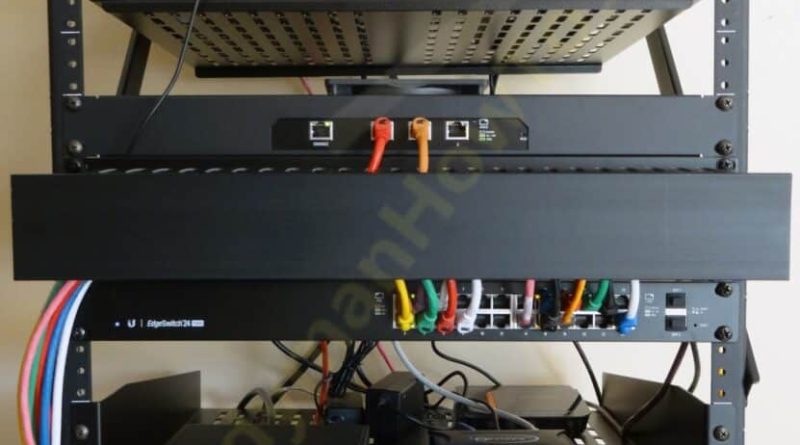
Edge Computing for Smart Home Privacy: Your Data Stays Home
You know that feeling… when your smart speaker suddenly lights up after a random word? Or when your thermostat seems to know you’re home before you even walk through the door? It’s convenient, sure. But it’s also a little creepy. Honestly, most of us have wondered: who’s listening?
The truth is, traditional smart homes send your data to the cloud — someone else’s computer. That’s where privacy gets fuzzy. But there’s a shift happening. Edge computing is flipping the script. Instead of shipping everything to a distant server, it processes your data right there, on your devices. Let’s talk about why that matters for your privacy.
What Exactly Is Edge Computing? (And Why Should You Care?)
Imagine a smart speaker that understands your command without sending a recording to Amazon or Google. That’s edge computing in a nutshell. It’s like having a tiny brain inside your device — a brain that does the thinking locally.
Here’s the deal: most smart home gadgets today rely on the cloud. You say, “Hey, turn off the lights.” That voice clip goes to a data center, gets processed, and a command comes back. It works, but it’s a privacy nightmare. Your voice, your habits, your daily routines… all stored somewhere you can’t control.
Edge computing flips that model. It processes data on the device itself — or on a local hub in your home. Only the absolutely necessary stuff (like firmware updates) ever touches the internet. The rest? It stays put.
Why This Is a Game-Changer for Privacy
Think of it like this: cloud computing is like mailing your diary to a stranger to read it aloud. Edge computing is like keeping your diary in a locked drawer and only whispering the summary to yourself. Your intimate data — your voice patterns, your sleep schedule, your camera feeds — never leaves your home network.
That means no third-party servers, no data brokers, no “we accidentally leaked your footage” headlines. It’s not just about security; it’s about ownership. You control your data. Period.
The Privacy Risks of Cloud-Dependent Smart Homes
Let’s be real for a second. Cloud-based smart homes are convenient — I’ll give them that. But they come with baggage. Here’s what you’re actually signing up for:
- Data permanence: Once your voice clip hits the cloud, it’s often stored indefinitely. Companies use it to train AI, improve algorithms, or… who knows?
- Third-party access: Law enforcement requests, rogue employees, or hackers — your data is only as safe as the weakest link in that company’s security chain.
- Unwanted profiling: Ever noticed ads for coffee pods after you asked your smart speaker for a recipe? That’s your data being sold. Edge computing stops that cold.
Sure, some companies claim they anonymize data. But anonymization is often a myth — researchers have re-identified “anonymous” datasets with shocking ease. Edge computing doesn’t need to anonymize anything. Because the data never leaves.
How Edge Computing Actually Works in Your Home
Alright, let’s get a little technical — but not too much. Edge computing in a smart home usually involves a local hub or a powerful device that acts as the brain. Think of it as a mini data center in your living room.
For example, Apple’s HomeKit Secure Video processes camera feeds on your iPad or HomePod. The footage never touches Apple’s servers. Or consider a smart thermostat that learns your schedule locally — no cloud needed. Even some newer doorbell cameras do facial recognition on the device itself.
Here’s a quick comparison to make it crystal clear:
| Feature | Cloud Computing | Edge Computing |
|---|---|---|
| Data location | Remote servers | Local device or hub |
| Latency | Higher (round trip) | Near-instant |
| Privacy risk | High (data exposed) | Low (data stays home) |
| Internet reliance | Required | Optional (mostly) |
| Control | Company decides | You decide |
See the difference? Edge computing isn’t just about privacy — it’s also faster. No waiting for a server halfway across the world. Your lights turn off when you say so, not two seconds later.
Real-World Examples: Devices That Do Edge Computing Right
You might be thinking, “Sounds great, but what can I actually buy?” Well, a few companies are already leading the charge. Here are some standouts:
- Apple HomeKit with Secure Video: As I mentioned, your camera footage is analyzed locally. Only encrypted thumbnails are sent to iCloud — and even Apple can’t see them.
- Amazon Sidewalk and local processing: Some newer Echo devices can process simple commands on-device. It’s limited, but it’s a start.
- SmartThings Hub (Samsung): The newer hubs support local processing for automations. If the internet goes down, your lights still work.
- Wyze Cam v3 with local storage: You can pop in a microSD card and record locally. No cloud subscription needed.
But here’s the catch — not all devices are created equal. Some claim to be “edge” but still phone home for basic functions. Always check the fine print. Look for phrases like “on-device processing” or “local AI.”
The Trade-Offs: Nothing’s Perfect
Okay, I’m not gonna pretend edge computing is a magic bullet. It has downsides. For one, local devices have limited power. A tiny sensor can’t run a massive neural network — not yet, anyway. So some features (like advanced voice assistants) still need the cloud.
Also, edge devices can be more expensive upfront. You’re paying for that local brain. And updates? Well, you’re responsible for keeping the hub secure. If you forget to patch it, well… that’s on you.
But honestly? For most people, the privacy gain outweighs the inconvenience. It’s a trade-off between convenience and control. And if you’re reading this, you probably value control.
How to Start Building a Privacy-First Smart Home Today
You don’t need to gut your entire setup. Start small. Here’s a step-by-step approach that won’t break the bank:
- Audit your current devices: Check their privacy settings. Do they offer local processing? Can you disable cloud uploads?
- Buy a local hub: Something like a HomePod Mini or a SmartThings Hub can centralize processing. It’s a one-time cost that pays off in privacy.
- Switch to local storage: For cameras, use microSD cards or a Network Video Recorder (NVR). No cloud subscription means no data leaks.
- Disable unnecessary cloud features: Turn off voice recording history. Opt out of data sharing. It’s not perfect, but it helps.
- Consider open-source options: Platforms like Home Assistant let you run everything locally. It’s a bit geeky, but it’s the gold standard for privacy.
And remember: you don’t have to do it all at once. Even one edge-compatible device reduces your exposure. Every little bit counts.
The Bigger Picture: Why This Trend Matters
We’re at a tipping point. Smart home adoption is skyrocketing — but so is privacy fatigue. People are tired of feeling watched in their own homes. Edge computing isn’t just a technical upgrade; it’s a philosophical shift. It says: your home is your castle, not a data mine.
Sure, big tech companies profit from your data. They’ll resist this shift. But the market is already responding. More devices are offering local processing. More consumers are demanding it. It’s a slow revolution, but it’s happening.
In a world where data is the new oil, edge computing is like keeping your own refinery in the backyard. You decide what gets refined, what gets sold, and what stays raw. It’s a return to digital sovereignty — and it feels damn good.
So next time your smart speaker lights up, ask yourself: where is that data going? With edge computing, the answer is simple. Nowhere. And that’s the way it should be.