
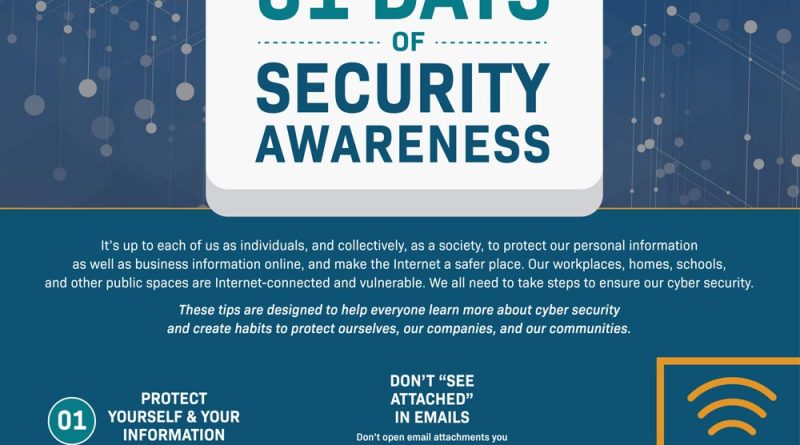
A Beginner’s Guide to Personal Cyber Hygiene and Creating a Secure Digital Footprint
Think of your digital life like your physical home. You lock the doors, maybe you have a security system, and you don’t leave your valuables on the front lawn. Your digital footprint? That’s the trail you leave behind online—every account, post, and login. And cyber hygiene is simply the daily habits that keep that digital house clean, tidy, and, most importantly, locked up tight.
Honestly, it can feel overwhelming. But here’s the deal: you don’t need to be a tech wizard. You just need to build a few simple routines. Let’s dive into the practical steps to scrub up your online presence and build a fortress around your data.
The Foundation: Passwords and the Gatekeepers
We have to start here because, well, it’s where most leaks happen. Using the same password everywhere is like using the same key for your house, car, and bank vault. If one gets copied, you’re in serious trouble.
Embrace a Password Manager
This is non-negotiable for good personal cyber hygiene. A password manager creates and stores complex, unique passwords for every site. You only need to remember one master password. It’s a game-changer.
Turn on Two-Factor Authentication (2FA)
If a password is a lock, 2FA is a deadbolt plus a guard dog. Even if someone gets your password, they need a second code—usually from an app on your phone—to get in. Enable it on email, banking, social media… anything important.
Your Digital Declutter: Managing Your Footprint
That social media quiz from 2012? That old shopping account you never use? They’re all part of your digital footprint, and they’re potential entry points. A secure digital footprint isn’t about being invisible; it’s about being intentional.
- Audit Your Accounts: Do a search for your old email addresses. See what pops up. Use a service like Have I Been Pwned to check if your data was in a known breach. It’s eye-opening.
- Unsubscribe and Delete: Those forgotten accounts are liabilities. Delete them. It’s a bit of a chore, sure, but it shrinks your attack surface dramatically.
- Review Privacy Settings: Every few months, go through the privacy settings on your social platforms. Who can see your posts? What data is shared with “partners”? Lock it down.
The Daily Habits: Simple Cyber Hygiene
This is the brushing-your-teeth part of the routine. It should be almost automatic.
| Habit | Why It Matters | Quick Tip |
| Update Everything | Software updates patch security holes. Delaying is an invitation. | Turn on auto-updates for your OS, apps, and antivirus. |
| Think Before You Click | Phishing emails and shady links are the #1 delivery method for malware. | Hover over links to see the real URL. If an email feels “off,” it probably is. |
| Back Up Your Data | Ransomware or a crashed hard drive can wipe your life. A backup is your undo button. | Use the 3-2-1 rule: 3 copies, on 2 different media, with 1 offsite (like the cloud). |
| Use a VPN on Public Wi-Fi | Public networks are like having a conversation in a crowded room. A VPN encrypts that conversation. | A reputable VPN is a must for travel or coffee shop work sessions. |
Beyond the Basics: Leveling Up Your Security
Once the basics feel routine, you can add a few more layers. These aren’t as hard as they sound, I promise.
Secure Your Email
Your email is the master key to your entire digital life—password resets go there. Use a strong, unique password and 2FA for it. Consider using a separate email address just for sign-ups and newsletters. It contains the noise and risk.
Be Smart About Social Sharing
That photo of your new driver’s license? The geotag on your home photo? That’s gold for identity thieves and stalkers. Share mindfully. Honestly, sometimes the best digital footprint is a slightly smaller one.
Listen to Your Devices
Is your phone battery suddenly draining fast? Is your computer running slow for no reason? These can be signs of malware. Good cyber hygiene means paying attention to these little whispers from your tech.
Making It Stick: Building Your Routine
The biggest challenge isn’t knowing what to do—it’s doing it consistently. Don’t try to overhaul everything in one weekend. You’ll burn out.
- Start Small: Pick one thing. Maybe this week, you install a password manager. Next week, you enable 2FA on your email.
- Schedule It: Put a 15-minute “digital tidy-up” reminder in your calendar every month. Use that time to delete old accounts and check settings.
- Don’t Fear the Reset: If you suspect a breach, act fast. Change passwords, disconnect accounts, and report it. It’s a hassle, but less of a hassle than dealing with identity theft.
In the end, creating a secure digital footprint is an ongoing practice, not a one-time project. It’s about shifting your mindset from “I have nothing to hide” to “I have something to protect.” Your privacy, your finances, your reputation. The digital world is amazing, but it pays to tread carefully—and cleanly. Your future self will thank you for the peace of mind.